For village magazines and newsletters
Your village magazine, online and in every inbox, without the faff.
Whether you've printed a village magazine for fifty years or are about to start one, Village Pages gives it a home online: a page-turning reader, a searchable archive of every issue, an email to your readers when each one is ready, and a poster with a code for the noticeboard. Made by a village volunteer, for village volunteers.
Free for 14 days, then £49 a year.
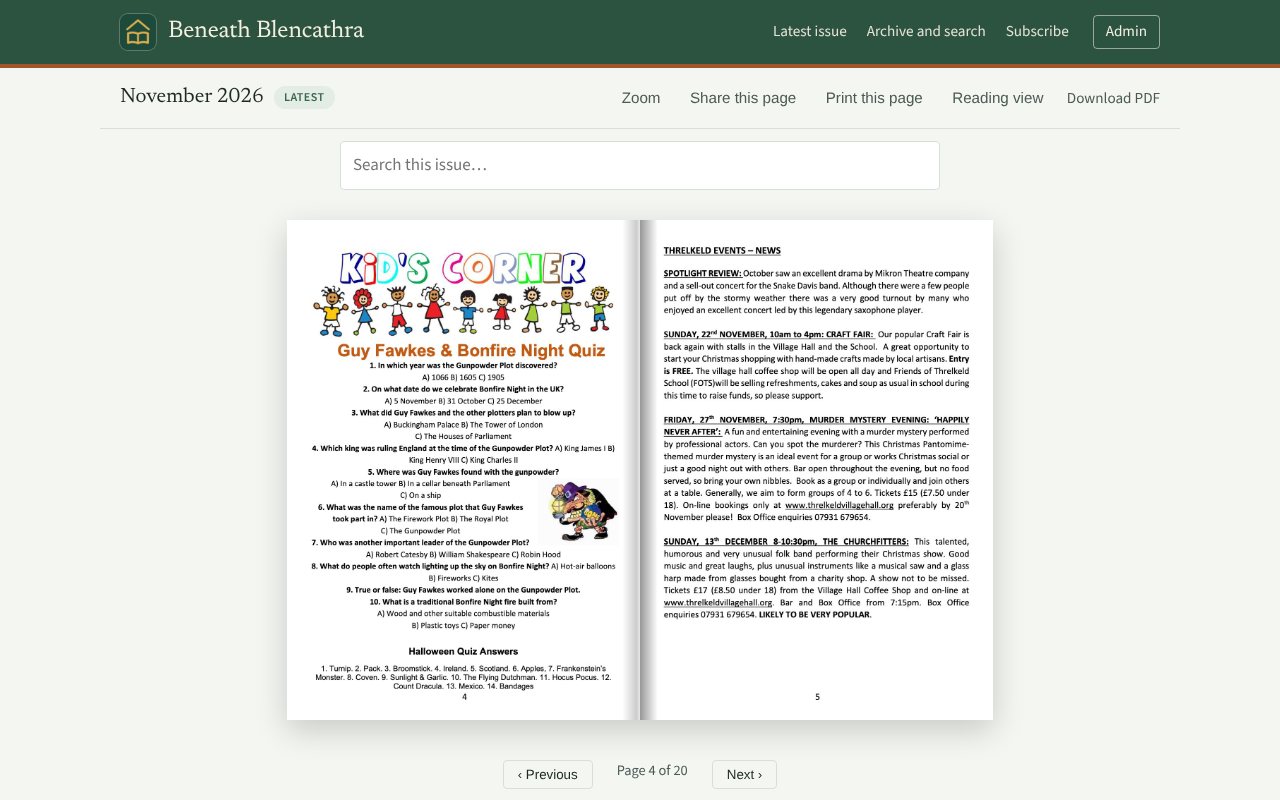
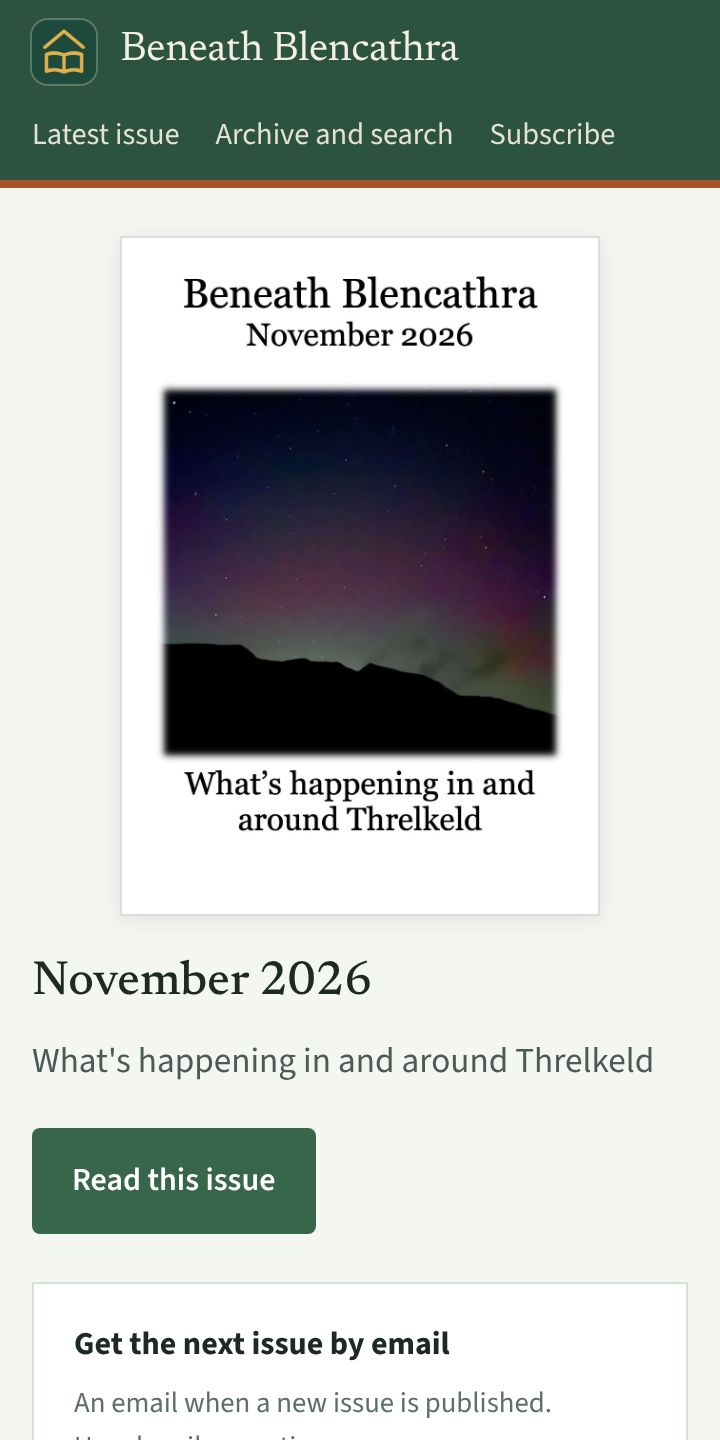
Already have a village magazine? Or want to start one?
Village Pages works the same way either way. You make each issue as a PDF, and Village Pages puts it online, builds the archive and emails your readers.
We already have a magazine
Put it online and build the archive
You bring: the PDF you already send to the printer, and your back issues if you have them (one PDF per issue).
You get:
- A page-turning edition anyone can read, at your own address
- An archive of every issue, searchable where the PDF has real text
- An email to readers each time a new issue is out, for the family who have moved away and anyone who prefers a screen
Your printed copy carries on exactly as it is.
We would like to start one
Start online from the very first issue
You bring: each issue as a PDF. Write it in Word, Canva or whatever you already use, then save it as a PDF.
You get:
- A proper online magazine at your own address from issue one
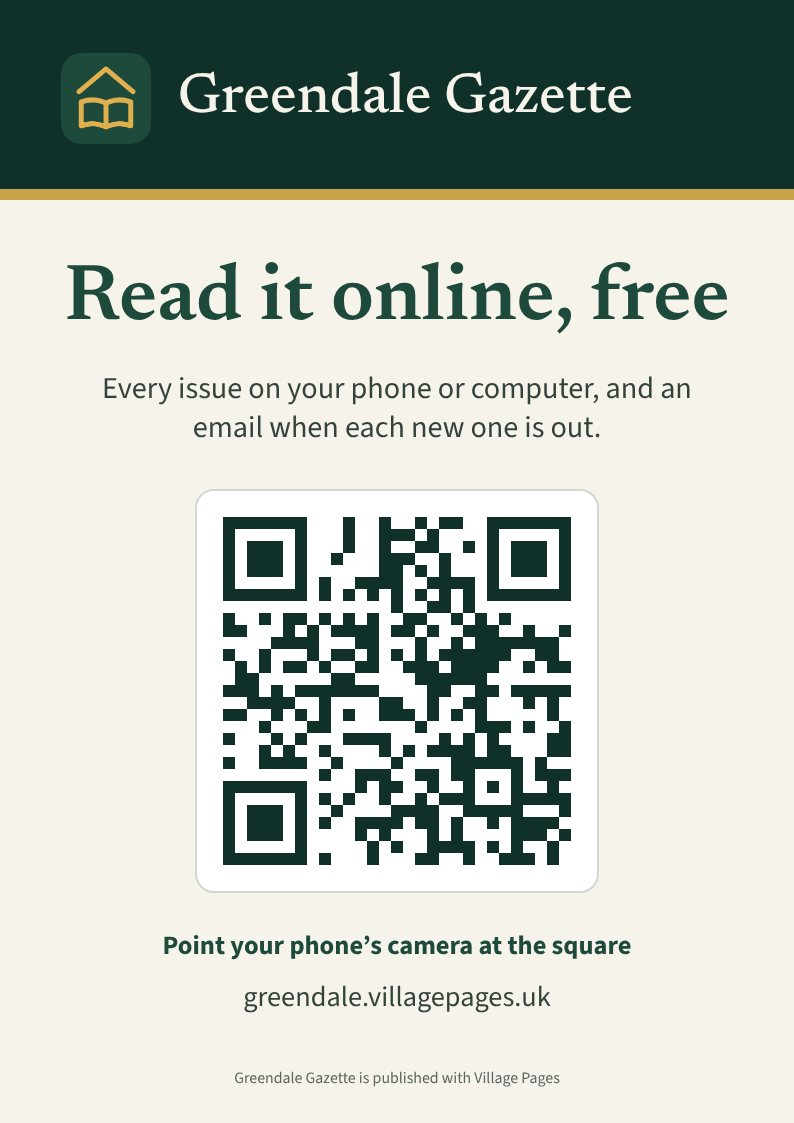
- A QR poster for the shop, the hall and the pub, so neighbours can sign up in seconds
- An email to everyone who signs up, with no printer, website or mailing list needed
You can add print later, if you ever want to.
Up and running in an afternoon
Tell us about your magazine
Its name, your village and the editor's email. We set up your own address, such as yourvillage.villagepages.uk.
Upload your first issue
Drop in the PDF, whether it's the one you send to the printer or one you made in Word or Canva. It becomes a page-turning edition straight away.
Put the poster up
Print the poster with its QR code for the shop, the hall and the pub. Readers sign up in a few seconds.
See what your readers and your editor get
These are screens from our made-up village, Greendale.
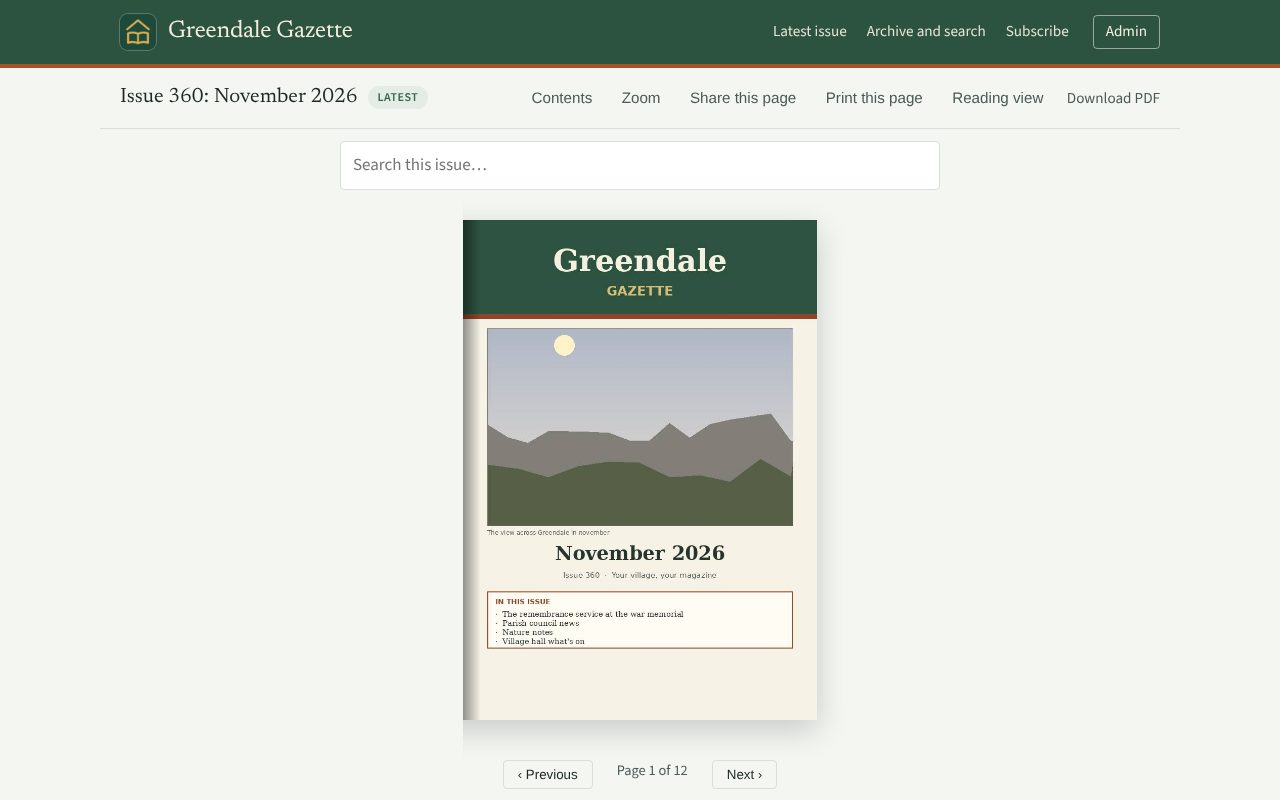
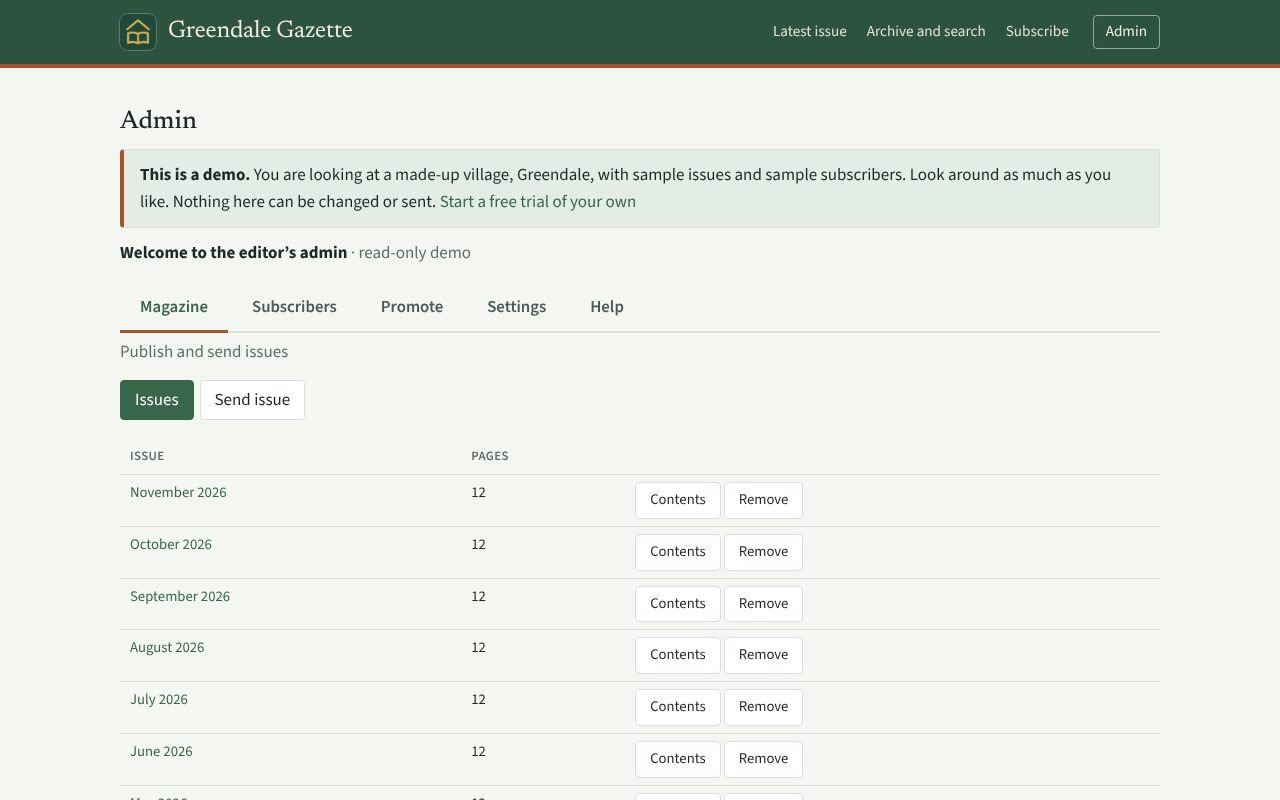
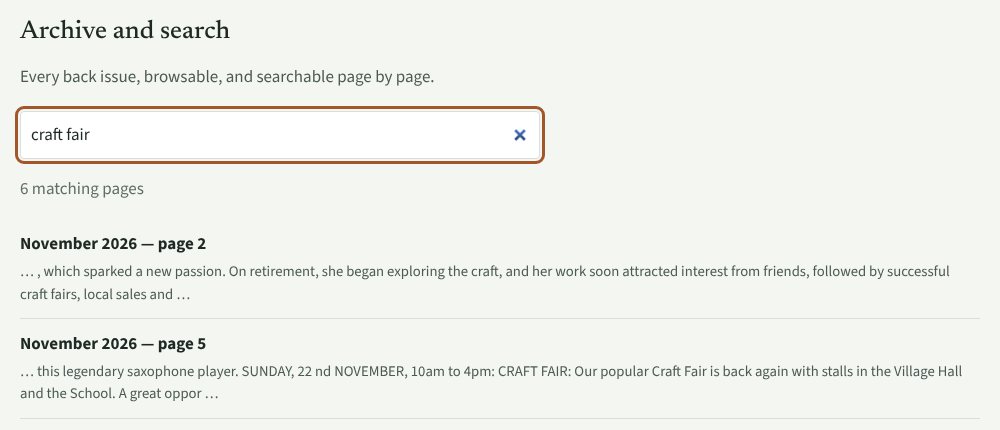
Archive and search
Your village's memory, and every word of it searchable
Every issue you publish joins the archive and stays there. Anyone can type a name, a place or an event and see every page that mentions it, with the words around it, then jump straight to that page.
- Search every issue at once. "Craft fair", "the bridge", "Mrs Robinson": all the pages that mention it, across every issue, in a moment.
- Local history that builds itself. Each month's issue adds to it, so the longer you publish, the more the village can look back on.
- Add your back issues. Upload old issues as PDFs and they join the archive. Where a PDF has real text it is fully searchable; a scan can still be read page by page, but its words can't be searched.
- Nothing gets lost. The archive no longer lives in someone's loft or on one committee member's old computer.
What you get
A reader people enjoy
Page-turning view on desktop, a comfortable reading view on phones, adjustable text size that suits older eyes, and light or dark to match your device. No app and no account.
Email for each new issue
The editor never has to email anyone. Readers sign up and confirm themselves, one email goes out per issue, and a safeguard stops the same issue being sent twice.
Printable poster
A ready-to-print A4 poster with a QR code that takes people straight to your sign-up.
Back issues and search
Every issue stays online, with the latest clearly marked, so the archive builds itself. Readers can search inside your issues, wherever the PDF has real text.
Looks after itself
Bounced and unsubscribed addresses are handled automatically, and unconfirmed sign-ups are tidied away after a week.
Easy to hand on
Editors change. A plain-English guide inside the admin covers every monthly step, and you can add a second person to the account, so the next volunteer isn't starting from scratch.
Your readers stay yours
Subscribers' details stay in your own account and are never shared or sold. Every magazine gets its own privacy notice page for readers.
Fits in with your village website
Add a "Read online" button, show the latest issue with its cover, or put the sign-up box on your own page. Copy and paste, no coding, and it updates itself every time you publish.
Try it before you decide
Explore a made-up village, Greendale, with sample issues. Read it as a reader, then look around the editor's admin page in read-only mode.
Why Village Pages?
To get a village magazine online with general tools you'd typically need one to turn the PDF into a page-turning edition, another to collect readers and email each issue, and somewhere to host it all at an address of its own: three things to learn, pay for and keep in step. Village Pages is one.
Built for village magazines
Start from the PDF you already have. No templates to design, no layout to rebuild.
One simple price
No per-reader charges. Up to 1,000 subscribers is included, so a successful poster doesn't mean a bigger bill.
Made by a village volunteer
It began as the online edition of Beneath Blencathra, the volunteer-run village magazine of Threlkeld in the Lake District, and it is built around what a volunteer editor actually needs.
Simple pricing
Village Pages
£49 a year
- 14 days free. You enter a card to start, but nothing is charged if you cancel before the 14 days are up
- Your own address, yourvillage.villagepages.uk
- As many issues as you like, and up to 1,000 subscribers on the email list
- Email for each issue, with bounce handling
- Poster with QR code
- No VAT added, and no per-reader charges
- Help by email whenever you need it
More than 1,000 subscribers? Email us and we'll agree something sensible.
Questions
Who owns our subscribers' email addresses?
You do. They're held in your own account, used only to send your magazine, and never shared or sold. Readers can unsubscribe at any time.
What if our editor steps down?
Add a second person to the account. The guide inside the admin walks through publishing and emailing step by step, so a new volunteer can pick it up quickly.
Does it replace the printed magazine?
Not unless you want it to. If you already print, it sits alongside the print edition and you print and deliver exactly as you do now. Some people will always prefer paper. Once more of your village reads online you may find you need fewer printed copies, but that is entirely your decision. If you're starting a new magazine, you can stay online-only.
What if we have more than 1,000 subscribers?
The standard plan includes up to 1,000 subscribers on your email list. If you're bigger than that, or expect to be, get in touch and we'll agree something sensible.
We already have a village website. Can we link to the magazine from it?
Yes. You get a ready-made link and button, a box that shows your latest issue, and a sign-up box, each as a short snippet to paste into your page. If your website builder won't take embedded boxes, the plain link always works. Want the magazine on an address of your own, such as read.yourvillage.org.uk? Ask us and we'll tell you whether it works with your set-up.
We don't have a magazine yet. Can we start one this way?
Yes. Village Pages publishes and delivers your issues; it doesn't lay them out for you. So you write each issue in whatever you already use, such as Word or Canva, save it as a PDF and upload it. A new newsletter can begin online and never need a printer at all.
Can we add our old issues?
Yes. Upload each back issue as a PDF (up to 60 MB each) and it joins the archive. If an old issue is a scan (a picture of the page), readers can still turn the pages, but the words inside it can't be searched.
How do I pay, and how do I cancel?
Payment is by card through Stripe, so we never see or store your card details. The 14-day trial starts straight away. To cancel, or to update your card or get receipts, use the Manage billing button under Settings in your admin. If you cancel during the trial, nothing is charged.
Where is everything kept?
On Cloudflare's network, with emails sent through Resend. Readers' details are used only to send your magazine. Our privacy notice says exactly what is kept and why.
What about adverts?
Your adverts are in the PDF, so they appear in the online edition exactly as you laid them out.
What happens to our issues if we leave?
Your PDFs are yours. Every issue has a download link, and you can download your confirmed reader list as a spreadsheet (CSV) whenever you like. If you ask us to delete your magazine, we will.
Start your free trial
Tell us about your magazine and we'll set it up straight away. You'll enter a card on the next page, but nothing is charged for 14 days, and you can cancel any time before then. After the trial it's £49 a year.
Rather talk to someone first? Email hello@villagepages.uk.